
Tag Timeline
Support Analytics for Zendesk
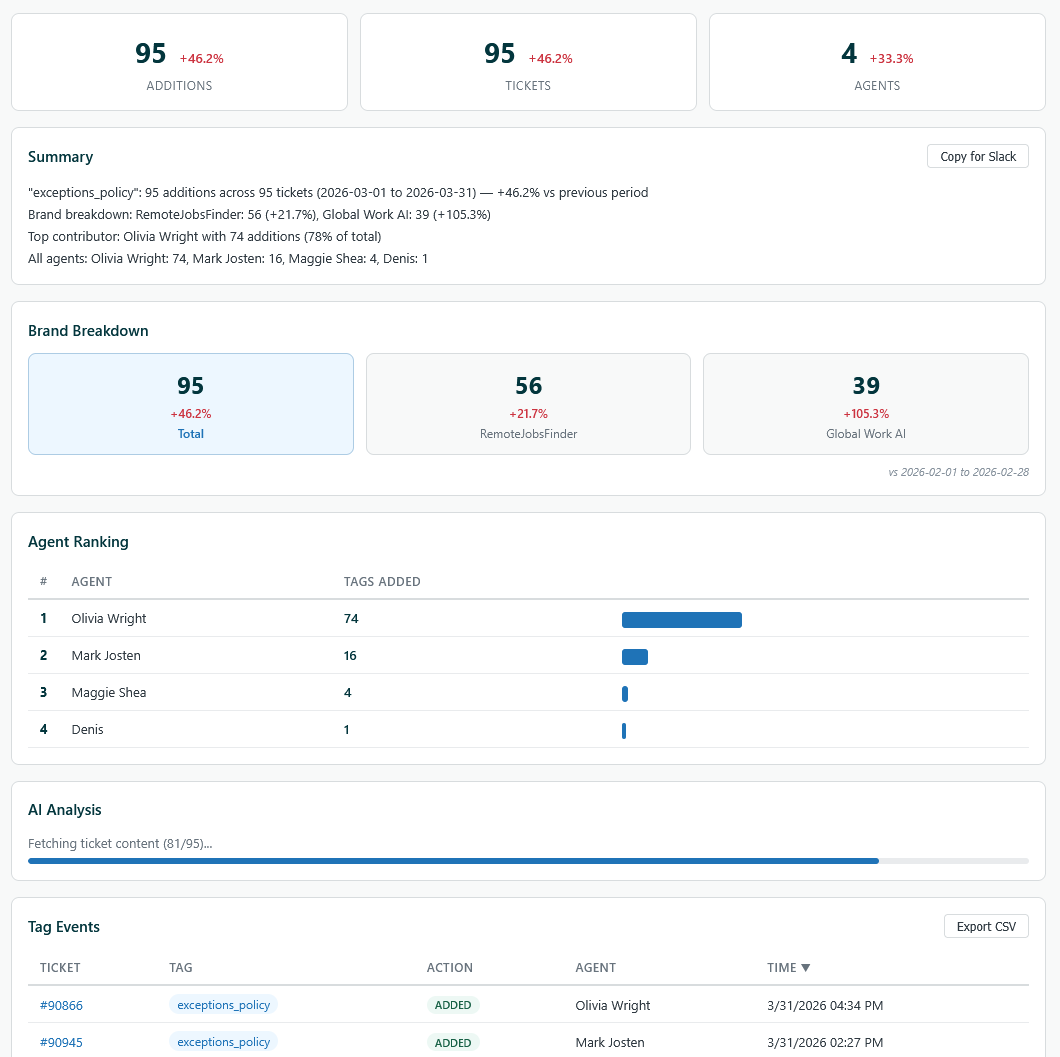
The Problem
Zendesk has no native way to track when tags are added or removed from tickets. You can see what tags a ticket currently has, but you can't answer questions like:
- ·How many times was
refund_confirmedapplied this month vs last month? - ·Which agent is tagging the most tickets?
- ·Which brand is driving the spike in
exceptions_policy? - ·What are customers actually complaining about in those tickets?
Tag data is buried in individual ticket audit logs with no aggregation, no trends, and no analytics. Teams resort to manually counting or building spreadsheets.
How the App Solves It
Tag Timeline is a ZAF v2 nav_bar app that pulls ticket audit histories via the Zendesk API, diffs tag changes (comparing previous_value vs value on Change events), and surfaces structured analytics across three views.
Features
Tab 1: Dashboard (Overview)
- ·One-click fetch of all ticket activity for the past 1 week / 2 weeks / 1 month — no tag selection needed
- ·Stat cards: total tag events, additions, tickets touched, unique tags used, active agents
- ·Tag frequency breakdown: horizontal bar chart ranking which tags are applied most
- ·Activity-over-time chart (daily)
- ·Top 10 agent ranking
Tab 2: Tag Analytics (Deep Dive)
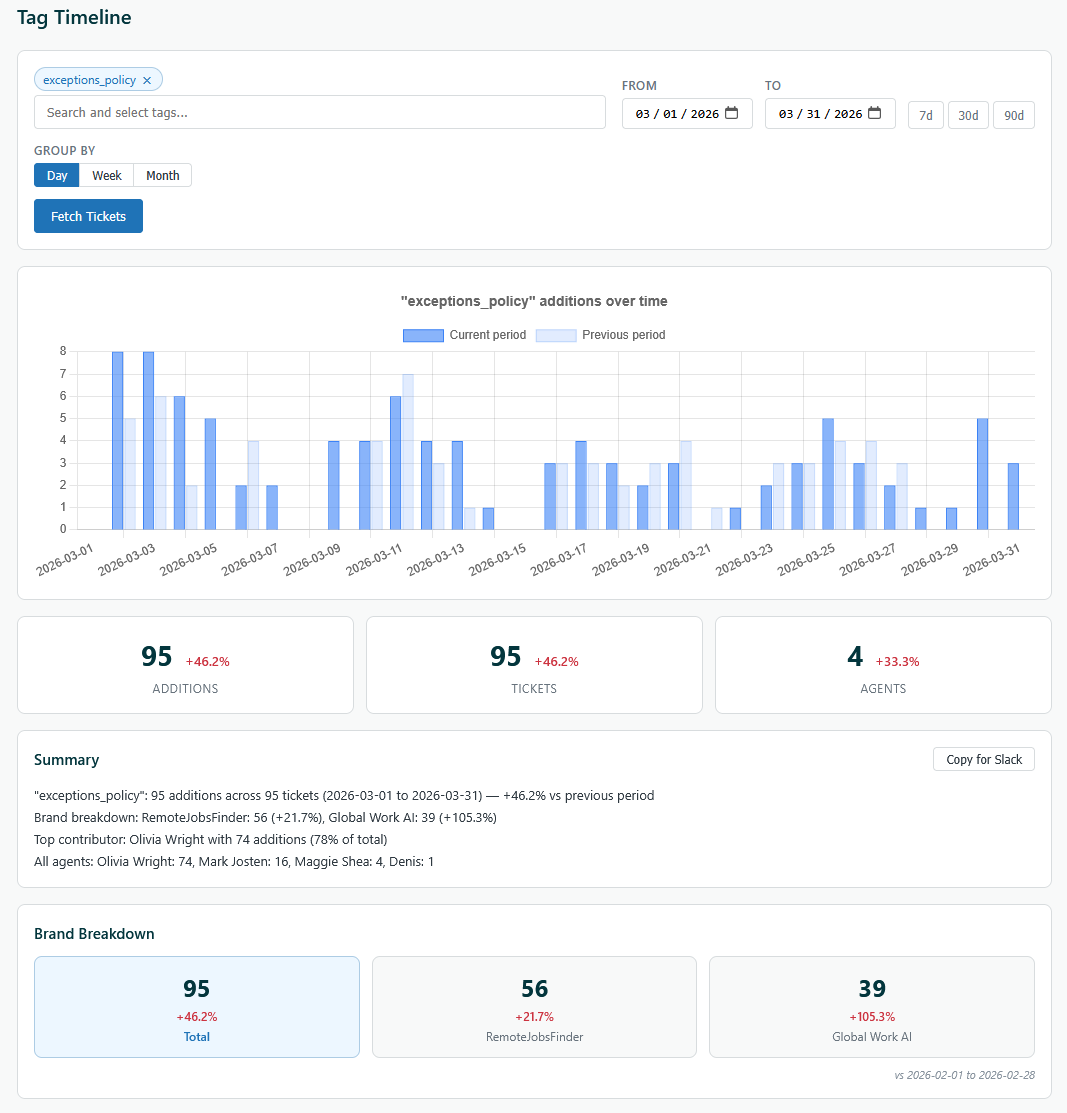
- ·Multi-tag selector with autocomplete from live Zendesk tag list
- ·Custom date range picker with 7d/30d/90d presets
- ·Group-by day/week/month with Chart.js visualization
- ·Period-over-period comparison: auto-computes previous period, shows delta percentages (+12.5%, −8.3%) on every metric
- ·Ghost overlay on the chart showing previous period for visual comparison
- ·Brand breakdown: tag volume split by Zendesk brand, each with its own delta
- ·Agent ranking: who applied the most tags, with visual bar indicators
- ·Auto-generated natural language summary with “Copy for Slack” button
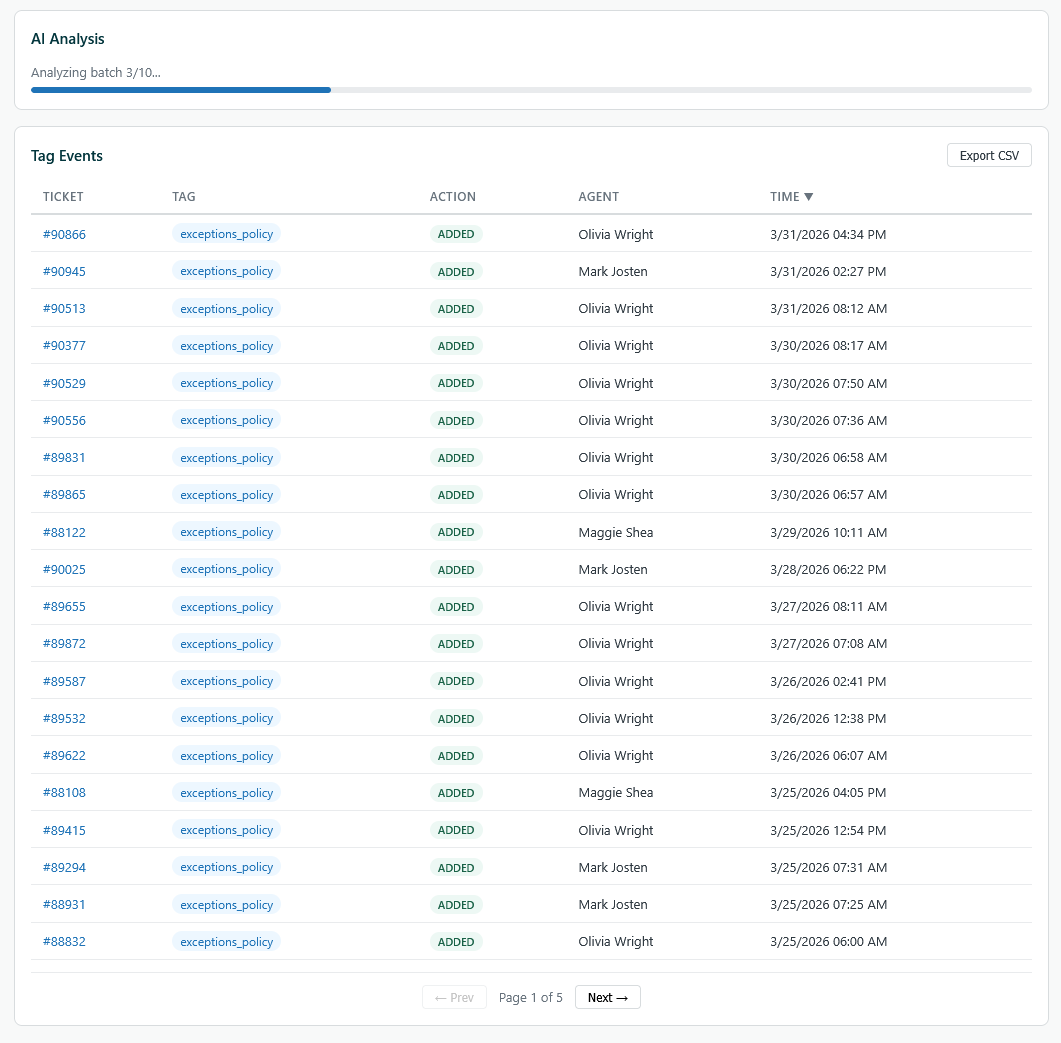
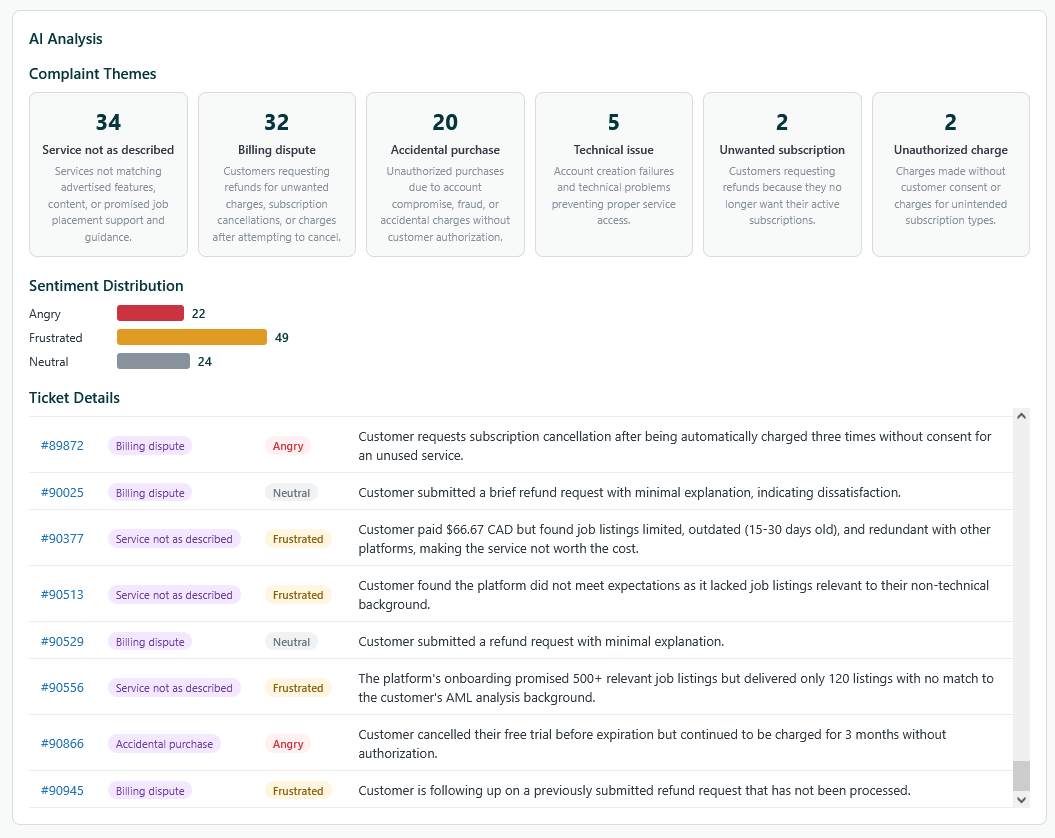
- ·AI-powered ticket analysis (via Anthropic Claude API): sentiment distribution, complaint category extraction, theme detection across all matched tickets
- ·PDF export of AI analysis with correct Zendesk ticket links and date range
- ·CSV export of raw tag events
Tab 3: Agent Performance
- ·Agent-centric leaderboard: tickets handled, tags added/removed, top tag per agent
- ·Click any agent to expand: stat cards, full tag distribution breakdown, daily activity chart
- ·Shares data with Dashboard when periods match (no duplicate API calls)
Technical Details
- ·Built on ZAF v2 with
ZAFClient.init(), all API calls proxied through Zendesk - ·Rate-limited (600 req/min with 429 retry)
- ·AI analysis batches 10 tickets per Claude API call, truncates descriptions to 1000 chars
- ·Internal scrolling (nav_bar iframes have fixed height — can't resize)
- ·CORS proxy included for local dev with
zcli apps:server